
Key Takeaways
- Contact center reporting automation streamlines data collection from customer interactions and focuses on actionable insights rather than just generating reports.
- Effective reports answer specific operational questions about customer needs, agent performance, and compliance issues.
- AgentAssist.com provides tools like Conversation Analytics and Automated QA, which enhance reporting by directly connecting data to customer conversations.
- Automated reporting helps managers quickly identify trends, coaching needs, and areas for process improvement, leading to better decision-making.
- Building a reporting rhythm with daily, weekly, and monthly reports allows teams to efficiently focus on relevant metrics without clutter.
Estimated reading time: 13 minutes
Table of contents
- Key Takeaways
- What Is Contact Center Reporting Automation?
- Why Manual Reporting Slows Contact Centers Down
- The Difference Between Dashboards and Automated Reports
- What Automated Contact Center Reports Should Include
- How Conversation Analytics Improves Reporting
- How Call Classification Improves Automated Reports
- How Automated QA Reporting Helps Leaders Act Faster
- How Case Management Reporting Supports Oversight
- How Reporting Automation Supports Agent Coaching
- How Call Summaries Strengthen Reporting
- Building a Reporting Rhythm
- What Contact Centers Should Avoid
- What to Look for in Contact Center Reporting Automation Software
- How AgentAssist.com Helps Automate Contact Center Reporting
- Final Thoughts
- Ready to turn contact center reports into action?
Contact center reporting automation helps teams turn customer conversations, QA results, case activity, call classifications, agent performance data, and customer interaction trends into reports that managers can actually use. Instead of manually pulling data from different systems or waiting for scattered updates, automated reporting gives contact center leaders a more consistent way to understand what is happening and what needs attention.
The real value is not just creating more reports. Most contact centers already have plenty of data. The challenge is knowing which data matters, how often to review it, and how to turn it into action.
A useful report should help managers answer practical questions. Why are customers calling? Which issues are increasing? Which calls need review? Where do agents need coaching? Which workflows are creating repeat contact? Are compliance-sensitive conversations being reviewed consistently? Are case trends pointing to a larger operational issue?
AgentAssist.com supports this type of workflow through Analytics, Conversation Analytics, Automated QA, Call Classification, Case Management, Agent Coaching, Call Summarization, Real-Time Assist, and related contact center AI capabilities. Its platform helps contact centers connect reporting with the conversations behind the numbers.
Key Takeaways
- Contact center reporting automation helps teams create more consistent reports from conversation data, QA activity, case trends, agent performance, and customer intent.
- Automated reports are most useful when they answer operational questions, not just display activity.
- Strong reporting connects conversation analytics, call classification, automated QA, case management, coaching, summaries, and dashboards.
- Reporting automation helps managers identify trends earlier and turn insights into review, coaching, escalation, or process improvement.
- AgentAssist.com helps contact centers create customizable analytics and reporting workflows that connect customer conversations to action.
What Is Contact Center Reporting Automation?
Contact center reporting automation is the process of generating reports from customer interaction data without relying only on manual data collection, spreadsheets, or one-off supervisor updates. These reports may include call classifications, customer intent trends, QA scores, case activity, coaching priorities, escalation patterns, call summaries, and operational metrics.
A basic report may tell leaders how many calls were handled. An automated contact center report should go further. It should help explain what customers needed, how agents performed, what issues were repeated, which calls were flagged, and where the business may need to improve.
In practical terms, reporting automation helps contact centers move from manual reporting to a repeatable reporting rhythm.
That rhythm may include daily supervisor reports, weekly QA reports, monthly leadership reports, case trend reports, coaching progress reports, compliance-risk review reports, and customer experience trend reports.
Why Manual Reporting Slows Contact Centers Down
Manual reporting can work when call volume is low and workflows are simple. But as a contact center grows, manual reporting becomes harder to maintain.
Managers may spend time pulling data from different systems. QA leaders may create separate spreadsheets. Supervisors may track coaching notes outside the reporting workflow. Operations leaders may review call volume without seeing conversation context. Compliance reviewers may look at flagged calls in a separate process.
This creates several problems.
Reports may be delayed. Different teams may use different definitions. Important trends may be missed. Leaders may spend more time preparing reports than acting on them. Reports may show what happened, but not why it happened.
Automated contact center reporting helps solve this by giving teams a more consistent way to review the same categories of information over time.
The Difference Between Dashboards and Automated Reports
Dashboards and automated reports are related, but they serve different purposes.
A dashboard gives managers a current view of important metrics. It is useful for monitoring activity, trends, and performance throughout the day or week.
An automated report is more structured. It is usually designed to answer a specific management question on a recurring schedule.
For example, a dashboard may show current call classification trends. A weekly automated report may summarize the top call reasons, changes from the previous week, flagged cases, QA score changes, and coaching priorities.
A dashboard helps teams monitor. A report helps teams review, decide, and act.
Contact centers usually need both.
What Automated Contact Center Reports Should Include
The best automated reports are built around decisions. Before creating a report, leaders should ask what action the report should support.
A supervisor report may need to show agent coaching priorities. A QA report may need to show scorecard trends and review categories. A case management report may need to show flagged calls, non-issues, escalations, and outcomes. An executive report may need to show customer experience trends, operational risk, and major call drivers.
A strong automated reporting system may include:
- Call reason trends
- Customer intent trends
- QA score trends
- Agent performance by call type
- Case volume and outcomes
- Escalation patterns
- Repeat call drivers
- Coaching activity
- Compliance-sensitive conversation trends
- Call summary and documentation quality
- Customer experience friction points
- Operational recommendations
The point is not to include everything in every report. The point is to deliver the right information to the right team at the right time.
How Conversation Analytics Improves Reporting
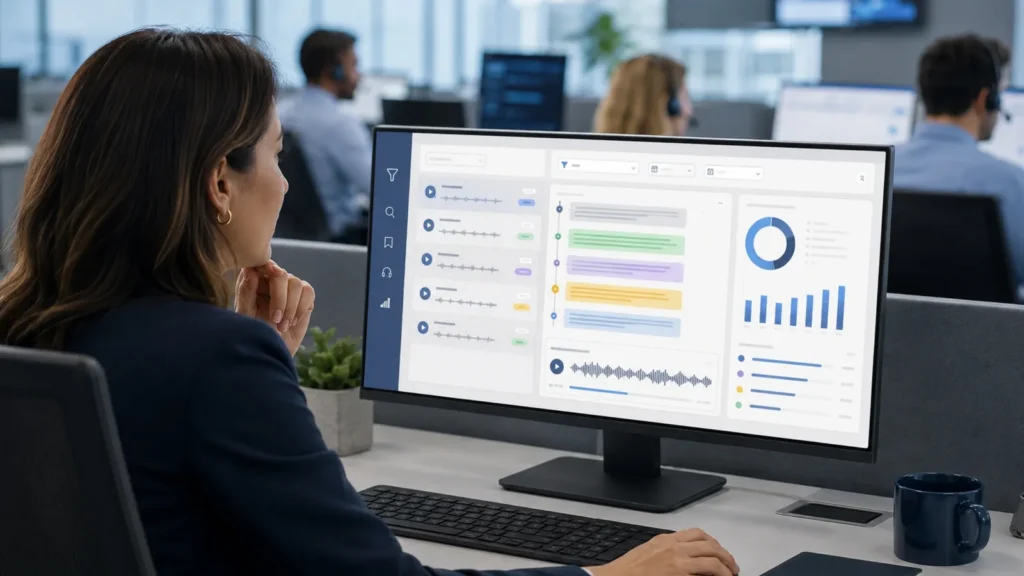
Conversation analytics helps contact centers report on what customers actually said and needed. This is important because traditional reporting can be too dependent on manual notes, disposition codes, or basic call metrics.
AgentAssist.com’s Conversation Analytics platform helps teams apply filters, create saved searches, review calls, extract insights, and generate customized reports. It also supports customizable redaction of PII and other sensitive data.
This makes reporting more useful because managers can connect numbers to real conversations.
For example, a report may show that billing-related calls increased. Conversation analytics can help teams search and review the actual calls behind that increase. Leaders may discover that customers are confused by invoice language, missing payment instructions, or unclear policy explanations.
That kind of insight is more actionable than a call count alone.
How Call Classification Improves Automated Reports
Call classification helps reports become more specific. Instead of grouping calls under broad categories, contact centers can organize conversations by reason, topic, intent, or issue type.
This helps reporting answer better questions.
A report should not only say that customer service volume increased. It should show whether customers called about account access, document requests, payment assistance, cancellation concerns, service failures, or complaint follow-ups.
AgentAssist.com’s Call Classification solution helps businesses understand why customers are contacting them, create customizable intent structures, listen to calls by classification, and track intent trends.
When call classification connects to reporting automation, managers can see which customer issues are rising, which categories may need QA review, and which topics may require workflow changes.
How Automated QA Reporting Helps Leaders Act Faster
Automated QA reporting helps contact centers review quality trends more consistently. Instead of relying only on small samples or manual scorecards, QA leaders can use reporting workflows to identify performance patterns across more interactions.
AgentAssist.com’s Automated QA platform supports customized automated scorecards, multiple scorecards per call or agent, scoring rationale, automated scoring, and a complete reporting suite.
A useful QA report may show where agents are performing well, where procedures are being missed, which scorecard categories need attention, and which call types are creating quality challenges.
The most valuable QA reports do not just rank agents. They help leaders understand what needs to improve.
For example, if many agents struggle with the same disclosure step, that may suggest a training issue, script issue, workflow issue, or knowledge base issue. If one call type consistently scores lower than others, managers may need to review the process behind that call type.
Automated QA reporting should lead to better coaching and better workflows, not just more scores.
How Case Management Reporting Supports Oversight
Case management reporting helps leaders understand which conversations are being flagged, reviewed, escalated, or closed as non-issues.
This matters because some calls require more than basic reporting. A conversation may involve a complaint, service issue, compliance-sensitive topic, fraud-risk indicator, escalation request, or repeated unresolved problem.
AgentAssist.com’s Case Management solution supports customized case generation, call review and classification, notes, alerts, notifications, and customized reports. This helps contact centers track the outcomes of flagged conversations.
A case management report may show how many calls were flagged, which categories created the most cases, how many were non-issues, how many were escalated, and which issues are recurring.
This gives leadership a stronger oversight system. Instead of only knowing that cases exist, they can understand what types of cases are appearing and whether the business is improving over time.
How Reporting Automation Supports Agent Coaching
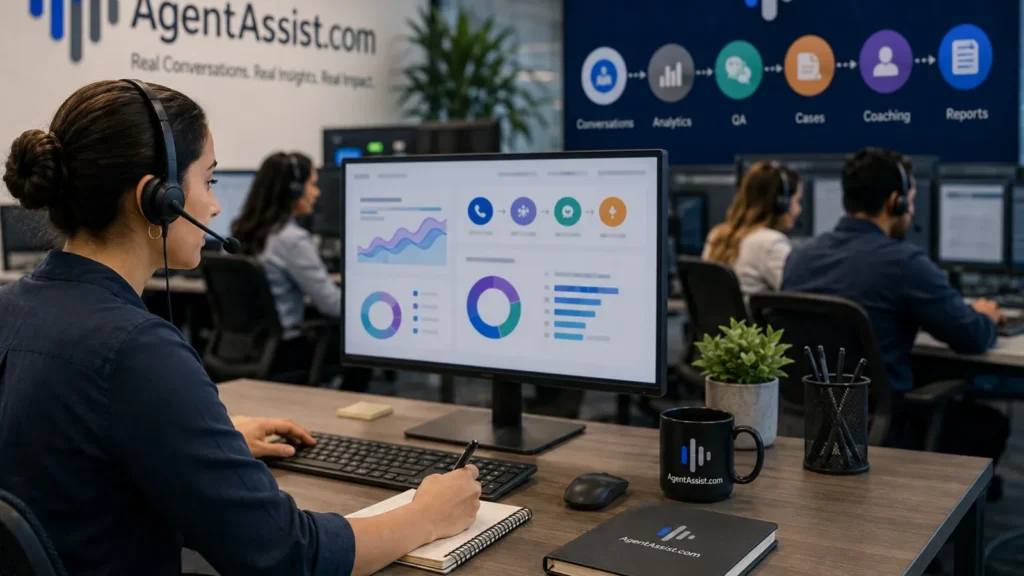
Coaching becomes more effective when it is connected to reporting.
Without reporting, coaching may depend on isolated examples or supervisor memory. With automated reporting, supervisors can see patterns. They can identify which agents need support, which call types are difficult, which QA categories are trending down, and which coaching tasks are still open.
AgentAssist.com’s Agent Coaching platform supports coaching workflows through tasks, notes, timestamps, alerts, and reporting.
A coaching report may show:
- Common coaching topics
- Agents assigned to coaching tasks
- Coaching completion status
- QA categories linked to coaching
- Repeated call types requiring support
- Improvement trends after coaching
This helps supervisors move from general feedback to targeted coaching.
Instead of saying, “Improve your calls,” a supervisor can say, “Let’s focus on how you explain the account verification process when customers mention a prior unresolved issue.”
That level of specificity makes coaching more useful.
How Call Summaries Strengthen Reporting
Call summarization can improve reporting by making conversations easier to review and understand. A good summary helps managers see what the customer needed, what happened during the call, what action was taken, and what follow-up may be required.
AgentAssist.com’s Call Summarization platform supports concise summaries of customer conversations, including outcomes and key details.
This is useful for reporting because summaries can help teams review patterns without listening to every full call. A manager can use summaries to understand common themes, documentation quality, follow-up needs, and customer friction points.
Call summaries are especially useful when paired with case management and QA reporting. If a call becomes a case, the summary can help the reviewer understand context faster. If a call needs coaching, the summary can help the supervisor identify the issue before reviewing the full interaction.
Building a Reporting Rhythm
Automated reporting works best when it becomes part of a management rhythm.
A contact center may create different reports for different review cycles.
Daily reports can help supervisors monitor call trends, flagged interactions, and urgent case activity. Weekly reports can help managers review QA trends, coaching priorities, call classification changes, and repeat issue patterns. Monthly reports can help leadership evaluate customer experience themes, operational improvements, risk-sensitive conversations, and long-term performance.
The report should match the decision.
Daily reporting should be simple and action-oriented. Weekly reporting should support team management. Monthly reporting should support leadership planning.
This rhythm prevents reports from becoming clutter. It also helps every team understand what they are supposed to review and when.
What Contact Centers Should Avoid
Automated reporting can create noise if teams are not careful.
One common mistake is reporting on too many metrics. When everything is included, the most important signals get buried. Another mistake is sending the same report to every role. Supervisors, QA leaders, compliance reviewers, and executives do not need the exact same view.
A third mistake is focusing only on what happened, not what should happen next. A report that says call volume increased is less useful than a report that shows which call reasons increased and what action is recommended.
Contact centers should also avoid treating reports as proof without review. Reports are decision tools. They should guide investigation, coaching, and operational action.
What to Look for in Contact Center Reporting Automation Software
When evaluating contact center reporting automation software, leaders should look for flexibility and workflow connection.
Important capabilities include:
- Customizable reports
- Custom dashboards
- Conversation analytics
- Call classification reporting
- Automated QA reporting
- Case management reporting
- Coaching reports
- Alerts and notifications
- Data visualization
- Saved searches and filters
- Security and permission controls
- Redaction of sensitive information
- API support
The most important factor is whether the reporting helps teams act. Reports should connect to QA review, coaching, case management, customer experience improvement, and operational decision-making.
AgentAssist.com fits this model because its Analytics platform supports customizable analytics and reporting, dashboards, reports, data visualization, APIs, security permissions, alerts, notifications, and redaction. Its broader platform connects reporting to the workflows that contact centers use every day.
How AgentAssist.com Helps Automate Contact Center Reporting

AgentAssist.com helps contact centers create more useful reporting by connecting analytics to customer conversations and operational workflows.
Its Analytics platform supports native reporting and customizable analytics capabilities. Its Conversation Analytics platform helps teams search, filter, review, extract insights, create saved searches, and generate reports. Automated QA helps teams review quality and scorecard trends. Case Management helps teams report on flagged calls, case outcomes, and escalations. Agent Coaching helps teams connect insights to performance improvement.
Together, these tools help contact centers move from static reporting to action-oriented reporting.
Instead of manually pulling scattered data, managers can build a clearer view of why customers are calling, which conversations need review, how agents are performing, where coaching is needed, and what trends require leadership attention.
Final Thoughts
Contact center reporting automation helps teams turn conversation data into better decisions. It gives managers a more consistent way to review call reasons, QA trends, case activity, coaching priorities, customer friction points, and operational performance.
The best reports are not just collections of numbers. They help leaders understand what is happening, why it is happening, and what should be reviewed next.
AgentAssist.com helps contact centers connect reporting automation with Analytics, Conversation Analytics, Call Classification, Automated QA, Case Management, Agent Coaching, Call Summarization, Real Time Assist, and broader contact center workflows. That creates a stronger system for turning customer conversations into actionable insights.
Contact center reporting automation is the process of generating recurring reports from customer conversation data, QA activity, case trends, agent performance, call classifications, and operational metrics.
Automated reporting helps contact centers review important trends more consistently, reduce manual reporting work, and connect customer conversation data to operational decisions.
Useful reports may include call reason trends, customer intent patterns, QA scores, case activity, escalations, coaching priorities, repeat call drivers, and customer experience friction points.
Automated QA reporting helps managers identify quality trends, scorecard patterns, agent coaching needs, and workflow issues that may affect customer experience.
Case management reporting helps teams track flagged calls, non-issues, escalations, notes, outcomes, and recurring case trends.
AgentAssist.com supports reporting automation through Analytics, Conversation Analytics, Call Classification, Automated QA, Case Management, Agent Coaching, Call Summarization, Real-Time Assist, dashboards, customized reports, alerts, notifications, permissions, and data visualization.
Ready to turn contact center reports into action?
See how AgentAssist.com helps contact centers automate reporting, track conversation trends, review QA insights, manage cases, and turn customer interactions into better decisions. Book a demo today.
Sources Used
- AgentAssist.com — Analytics
https://agentassist.com/platform/analytics/ - AgentAssist.com — Conversation Analytics
https://agentassist.com/platform/conversation-analytics/ - AgentAssist.com — Automated QA
https://agentassist.com/platform/automated-qa/ - AgentAssist.com — Case Management
https://agentassist.com/platform/case-management/ - AgentAssist.com — Call Classification
https://agentassist.com/platform/call-classification/ - AgentAssist.com — Agent Coaching
https://agentassist.com/platform/agent-coaching/ - AgentAssist.com — Call Summarization
https://agentassist.com/platform/call-summarization/ - AgentAssist.com — Real-Time Assist
https://agentassist.com/platform/real-time-assist/ - AgentAssist.com — Homepage
https://agentassist.com/ - Google Search Central — Creating Helpful, Reliable, People-First Content
https://developers.google.com/search/docs/fundamentals/creating-helpful-content