
Key Takeaways
- Customer escalation management helps contact centers identify issues needing supervisor review, enhancing responsiveness and consistency.
- AI-supported escalation management prioritizes conversations based on defined criteria, flagging important calls for further review.
- Effective escalation workflows include case review, classification, notes, alerts, and reports, ensuring no critical issues are missed.
- Supervisor judgment remains crucial, as escalations can arise from various sources, not just customer emotions.
- AgentAssist.com offers tools that streamline escalation management, linking Case Management, Call Classification, and other functions for better outcomes.
Estimated reading time: 13 minutes
Table of contents
- What Is Customer Escalation Management?
- Why Customer Escalations Are Hard to Manage Manually
- What Counts as an Escalation Signal?
- How AI Helps Supervisors Prioritize Escalations
- Escalation Management Is Not Just About Angry Customers
- How Call Classification Supports Escalation Management
- How Case Management Turns Escalations Into a Workflow
- How Conversation Analytics Helps Identify Escalation Patterns
- How Escalation Management Supports QA
- How Escalation Management Supports Coaching
- The Supervisor’s View: From Overload to Prioritization
- A Practical Example
- What Contact Centers Should Avoid
- What to Look for in Escalation Management Software
- How AgentAssist.com Helps Contact Centers Manage Escalations
- Final Thoughts
- Ready to prioritize customer escalations with more confidence?
Customer escalation management helps contact centers identify, review, and respond to conversations that need supervisor attention. These may include complaint calls, supervisor requests, repeated unresolved issues, compliance-sensitive conversations, service failures, cancellation concerns, or other interactions that require review.
In a busy contact center, not every escalation is obvious. Some customers directly ask for a supervisor. Others describe the same issue multiple times, mention a previous unresolved conversation, express concern about a process, or use language that signals the call may need follow-up. If those signals are buried inside thousands of conversations, supervisors may not see the issue until it becomes more serious.
That is where AI-supported escalation management can help. Instead of relying only on manual agent notes, random QA sampling, or after-the-fact complaints, contact centers can use selected criteria to flag calls, organize review queues, add notes, send alerts, and escalate real concerns.
AgentAssist.com supports this workflow through Case Management, Call Classification, Conversation Analytics, Automated QA, Agent Coaching, Call Summarization, Real-Time Assist, and Analytics. These tools help contact centers create a more structured path from customer conversation to supervisor action.
What Is Customer Escalation Management?
Customer escalation management is the process of identifying customer issues that need additional review and making sure they reach the right person or team. In contact centers, escalation management often involves supervisors, QA leaders, compliance reviewers, operations managers, or subject matter experts.
An escalation may happen when a customer asks for a supervisor. But escalation management is broader than that. A call may need review even if the customer never uses the word “supervisor.”
For example, a conversation may need escalation review if the customer mentions that the issue has not been resolved, says they already called multiple times, raises a complaint, discusses a sensitive account issue, references a service failure, or uses language connected to risk, compliance, or cancellation.
Escalation management gives the contact center a system for handling those moments with more consistency.
Why Customer Escalations Are Hard to Manage Manually
Customer escalations are not always easy to track. Many contact centers rely on agents to identify, document, and route escalation issues correctly. That can work, but it leaves room for inconsistency.
Agents may be moving quickly between calls. They may select a broad disposition code. They may resolve the immediate issue but miss the larger pattern. They may document the call in a way that does not fully capture the customer’s concern. Supervisors may only see the calls that agents manually bring to them.
This creates a gap between what happens in conversations and what leaders can actually review.
A customer may say, “I called about this last week,” but the call may be marked as a normal service issue. Another customer may say, “I need someone else to look at this,” but the conversation may not be added to a supervisor queue. A third customer may discuss a compliance-sensitive topic, but the call may not be reviewed unless it appears in a QA sample.
Customer escalation management helps close that gap by creating a more structured review process.
What Counts as an Escalation Signal?
An escalation signal is a word, phrase, topic, classification, or pattern that suggests a call may need review. These signals should be defined by the business based on its workflows, policies, customers, and risk areas.
Common escalation signals may include:
• Supervisor request
• Formal complaint language
• Repeated unresolved issue
• Service failure
• Cancellation concern
• Billing dispute
• Account access problem
• Fraud-risk conversation
• Compliance-sensitive topic
• Required procedure concern
• Sensitive customer information
• Missed follow-up
• Customer says they already called
• Customer asks for documentation
• Customer says the issue is urgent
These signals should not be treated as automatic proof that something went wrong. They should be treated as reasons to review the conversation.
That distinction matters. AI-supported escalation management can help contact centers identify conversations for review, but supervisors and subject matter experts still need to evaluate context and decide what action is appropriate.
How AI Helps Supervisors Prioritize Escalations
The main value of AI in escalation management is prioritization. Supervisors cannot listen to every call in real time, and QA teams cannot manually inspect every conversation in detail. AI-supported workflows can help surface the calls that may deserve attention.
A practical escalation workflow may look like this:
- The contact center defines which escalation signals should be reviewed.
- Customer conversations are analyzed using selected criteria such as keywords, call classifications, metadata, topics, or customer intent categories.
- Calls that match the criteria are flagged for review.
- Supervisors review the flagged calls and determine whether they are non-issues, coaching opportunities, escalations, compliance-risk concerns, or process improvement signals.
- Notes and follow-up actions are added to keep context organized.
- Alerts or notifications are sent to the right team members when needed.
- Reports help leaders track escalation trends, outcomes, and recurring issues.
This workflow gives supervisors a clearer queue of calls to review. It also helps reduce the chance that important conversations are missed because no one manually escalated them.
Escalation Management Is Not Just About Angry Customers

Many teams think of escalation management as a way to handle angry customers. That is part of it, but it is not the whole picture.
A customer may remain calm and still describe a serious service problem. Another customer may be frustrated because a policy is unclear. Another may be trying to complete a process but keeps receiving conflicting instructions. Another may need a follow-up that was never completed.
If escalation management only focuses on emotional language, the contact center may miss important operational issues.
A stronger approach looks at the substance of the conversation. What is the customer trying to resolve? Has the issue happened before? Does the topic require special handling? Is the customer asking for a supervisor? Does the call include language that should be reviewed? Is there a process gap behind the interaction?
This approach avoids overclaiming emotional detection and keeps the workflow grounded in keywords, topics, call classifications, customer intent signals, and selected business criteria.
How Call Classification Supports Escalation Management
Call classification helps contact centers organize conversations by reason, intent, topic, or issue type. This is important for escalation management because some call categories may require more attention than others.
For example, a routine account update may not need supervisor review. But an account update call that includes repeated failed verification attempts, customer complaint language, or a supervisor request may need to become a case.
AgentAssist.com Call Classification solution helps teams understand why customers are contacting them, create customizable intent structures, listen to calls by classification, and track intent trends. This supports escalation management by helping teams identify which types of conversations are most likely to need review.
Instead of treating every call as equal, supervisors can prioritize calls based on what happened in the conversation.
How Case Management Turns Escalations Into a Workflow
Flagging an escalation is only useful if the team knows what to do next.
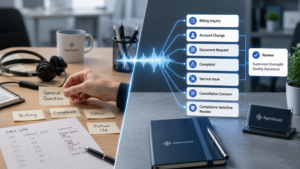
Case management turns escalation signals into a workflow. A flagged call can be reviewed, classified, documented, escalated, closed as a non-issue, or routed to the right person.
AgentAssist.com Case Management solution supports customized case generation, quick review and classification, notes, alerts, notifications, and customized reports. This gives supervisors a structured way to manage important conversations instead of relying on scattered notes or manual follow-up.
A case management workflow can help answer:
• Who reviewed the call?
• Was the call a real escalation or a non-issue?
• What notes were added?
• Was follow-up needed?
• Who was notified?
• Was the issue connected to a broader trend?
• What action was taken?
These questions matter because escalation management should create accountability. It should not just create more alerts.
How Conversation Analytics Helps Identify Escalation Patterns
Conversation analytics helps contact centers look beyond individual escalations and see patterns across many conversations.
One escalation may be a one-time issue. Ten similar escalations may reveal a process problem.
AgentAssist.com Conversation Analytics platform supports filters, saved searches, call review, insight extraction, and customized reports. This can help leaders identify whether escalation-related conversations are tied to certain topics, teams, queues, products, services, policies, or customer workflows.
For example, conversation analytics may show that escalation calls increase after a billing notice, during a service change, after a policy update, or when customers cannot complete a self-service task.
That insight changes the conversation. Instead of only asking agents to handle escalations better, leaders can ask whether the business is creating avoidable escalation volume.
How Escalation Management Supports QA
Escalation calls can be valuable for QA review because they often reveal moments where process, communication, or customer experience needs closer attention.
QA teams may want to review calls where:
• The customer asked for a supervisor
• The customer mentioned a previous unresolved issue
• The call involved a complaint
• The conversation included required disclosure language
• The customer described a service failure
• The agent had to explain a complex policy
• The call was transferred multiple times
• The customer needed follow-up after the interaction
AgentAssist.com Automated QA platform supports customized scorecards and quality monitoring workflows. When escalation management connects with QA, teams can review calls that are more likely to reveal training needs, workflow gaps, or procedure concerns.
This does not replace regular QA. It adds a targeted review layer.
How Escalation Management Supports Coaching

Escalations often become coaching moments, but supervisors need to be careful. Not every escalation is caused by agent performance.
A customer may escalate because a process is confusing, a prior follow-up was missed, a self-service tool failed, or a policy is difficult to explain. If supervisors only blame the agent, they may miss the real issue.
Escalation management can help supervisors coach more fairly by giving them better context.
A flagged call may show that an agent needs help with:
• Explaining next steps
• Managing supervisor requests
• Handling complaint language
• Documenting follow-up actions
• Clarifying a policy
• Guiding customers through a difficult process
• Knowing when to escalate
A flagged call may also show that the agent handled the situation well. Strong escalation management can help identify positive examples for training, not just mistakes.
AgentAssist.com Agent Coaching platform helps connect insights to coaching workflows through tasks, notes, timestamps, alerts, and reporting. This helps supervisors turn escalation review into better coaching.
The Supervisor’s View: From Overload to Prioritization
Supervisors are often pulled in multiple directions. They may need to answer agent questions, review calls, handle escalations, monitor performance, support coaching, and report to leadership.
Without a clear system, escalation management becomes reactive. Supervisors respond to whoever speaks up first, the loudest complaint, or the issue that reaches them manually.
AI-supported escalation management helps supervisors move toward prioritization. Instead of asking, “Which calls did I happen to hear about?” supervisors can ask, “Which calls match the criteria we care about most?”
That shift matters. It helps supervisors focus their time on conversations that may have the greatest impact on customer experience, compliance-risk review, agent support, and operational improvement.
A Practical Example
Imagine a contact center starts seeing more calls about account access. Most are simple password resets. But some customers mention that they have called before, were given different instructions, or cannot complete verification.
If the contact center only tracks “account access” as a basic disposition, the issue may look routine. But with escalation management, calls that include repeated unresolved issue language or supervisor requests can be flagged for review.
A supervisor reviews the calls and finds a pattern. Customers are confused by one verification step. QA sees that agents are explaining the process inconsistently. Coaching is created for agents who need support. Operations updates the instructions. Analytics tracks whether escalation-related account access calls decrease over time.
That is the real value of escalation management. It helps teams move from individual complaints to root-cause improvement.
What Contact Centers Should Avoid
Escalation management can become noisy if the criteria are not focused.
Teams should avoid flagging every long call, every difficult call, or every call that contains a broad keyword. Too many alerts can lead to alert fatigue. When everything is treated as urgent, nothing feels urgent.
Contact centers should also avoid treating flagged calls as confirmed failures. A flagged call means review is needed. It does not automatically mean the agent made a mistake or the customer issue was mishandled.
The best escalation workflows are specific, reviewable, and connected to action.
What to Look for in Escalation Management Software
Contact center leaders should look for escalation management software that helps supervisors identify, review, document, and report on important conversations.
Important capabilities include:
• Custom escalation criteria
• Flagged call review
• Case queues
• Notes and follow-up actions
• Alerts and notifications
• Call classification support
• Conversation search and filters
• Saved searches
• Custom reports
• QA workflow connection
• Coaching workflow connection
• Secure handling of sensitive information
The most important factor is not just whether calls can be flagged. The most important factor is whether flagged calls can move into a useful workflow.
AgentAssist.com supports this connected approach through Case Management, Call Classification, Conversation Analytics, Automated QA, Agent Coaching, Call Summarization, Real-Time Assist, and Analytics.
How AgentAssist.com Helps Contact Centers Manage Escalations
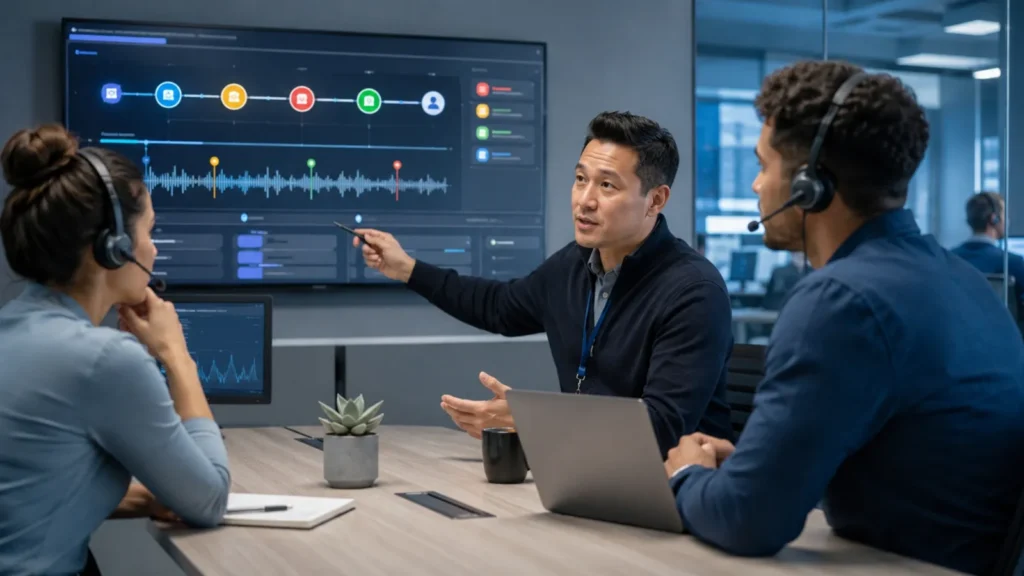
AgentAssist.com helps contact centers build a more structured escalation management process.
With AgentAssist.com, teams can use selected criteria to help flag calls for review, organize cases, classify non-issues, escalate concerns, add notes, send alerts, and generate reports. Call Classification helps teams understand why customers are contacting them. Conversation Analytics helps teams search, filter, review, and report on interactions. Agent Coaching and Automated QA help supervisors turn escalation insights into training and quality improvements.
Together, these tools help contact centers prioritize the right calls, support supervisors, and act on important customer conversations faster.
Final Thoughts
Customer escalation management helps contact centers identify and review conversations that need attention. It gives supervisors a more structured way to prioritize calls involving complaints, repeated unresolved issues, service failures, compliance-sensitive topics, supervisor requests, and other selected criteria.
The goal is not to replace supervisor judgment. The goal is to help supervisors find the right conversations faster and manage them with more consistency.
AgentAssist.com helps contact centers connect customer escalation management with Case Management, Call Classification, Conversation Analytics, Automated QA, Agent Coaching, Call Summarization, Real-Time Assist, and Analytics. That creates a stronger workflow for reviewing escalations, supporting agents, improving processes, and strengthening customer experience.
Customer escalation management is the process of identifying, reviewing, and responding to customer conversations that may need supervisor attention, follow-up, or additional review.
Calls may need escalation review when they involve supervisor requests, complaint language, repeated unresolved issues, service failures, compliance-sensitive topics, fraud-risk conversations, or other selected business criteria.
AI can help flag calls for review based on selected criteria such as keywords, topics, metadata, call classifications, and customer intent categories. Supervisors still review context and decide the appropriate action.
No. A flagged call means the conversation may need review. It may be classified as a non-issue, coaching opportunity, escalation, compliance-risk concern, or process improvement signal after review.
AgentAssist.com supports escalation management through Case Management, Call Classification, Conversation Analytics, Automated QA, Agent Coaching, Call Summarization, Real-Time Assist, and Analytics.
Ready to prioritize customer escalations with more confidence?
See how AgentAssist.com helps contact centers flag important calls, review escalations, support supervisors, and turn customer conversations into actionable workflows.
Sources Used
- AgentAssist.com — Case Management
https://agentassist.com/platform/case-management/ - AgentAssist.com — Call Classification
https://agentassist.com/platform/call-classification/ - AgentAssist.com — Conversation Analytics
https://agentassist.com/platform/conversation-analytics/ - AgentAssist.com — Agent Coaching
https://agentassist.com/platform/agent-coaching/ - AgentAssist.com — Analytics
https://agentassist.com/platform/analytics/ - AgentAssist.com — Homepage
https://agentassist.com/ - Google Search Central — Creating Helpful, Reliable, People-First Content
https://developers.google.com/search/docs/fundamentals/creating-helpful-content