Estimated reading time: 12 minutes
Table of contents
- Why Remote and Hybrid Contact Centers Need Stronger Quality Monitoring
- What Is Quality Monitoring Software for Contact Centers?
- Remote Agent Monitoring Should Not Feel Like Surveillance
- The Problem With Random Call Sampling
- How Automated QA Improves Quality Monitoring
- How Conversation Analytics Helps Supervisors See What Is Happening
- How Call Classification Adds Context to Quality Monitoring
- How Coaching Workflows Support Remote Agents
- Quality Monitoring Should Include Positive Coaching
- How Case Management Supports Remote Quality Review
- How Reporting Helps Manage Distributed Teams
- Common Quality Monitoring Mistakes in Remote Teams
- What to Look for in Quality Monitoring Software
- How AgentAssist.com Helps Remote and Hybrid Contact Centers Monitor Quality
- Final Thoughts
- Key Takeaways
- FAQs
- Ready to improve quality monitoring across remote and hybrid teams?
Quality monitoring software helps contact centers review customer interactions, evaluate agent performance, identify coaching needs, and improve consistency across teams. For remote and hybrid contact centers, this becomes even more important because supervisors cannot rely on the same in-person visibility they may have had in a traditional office environment.
When agents work from different locations, quality management can become harder to standardize. Supervisors may not hear live conversations. QA teams may review only a small sample of calls. Coaching may happen inconsistently. Important customer issues may be hidden inside transcripts, call notes, or disconnected reports.
Quality monitoring software gives contact centers a more structured way to evaluate conversations and support agents wherever they work. Instead of depending only on side-by-side observation or random call samples, teams can use automated QA, conversation analytics, coaching workflows, dashboards, case management, and reporting to understand what is happening across the operation.
AgentAssist.com supports this type of workflow through Automated QA, Agent Coaching, Conversation Analytics, Analytics, Call Classification, Case Management, Call Summarization, and Real-Time Assist. Its platform helps contact centers review interactions, apply scorecards, track coaching, search conversations, generate reports, and support more consistent quality management.
Why Remote and Hybrid Contact Centers Need Stronger Quality Monitoring
Remote and hybrid contact centers can give companies more flexibility, but they also create new management challenges. Supervisors may not be in the same room as agents. Team leads may not overhear patterns during the day. Coaching moments may be harder to catch. QA teams may have less informal context around how agents are handling calls.
This does not mean remote agents perform worse. It means the contact center needs better systems for visibility, consistency, and follow-up.
Without strong quality monitoring, managers may rely too heavily on surface-level metrics like handle time, call volume, or after-call notes. Those numbers may show activity, but they do not always show quality. A remote agent may handle calls quickly but miss documentation. Another may take longer because the call type is complex. Another may need support with required procedures, escalation handling, or customer explanation.
Quality monitoring software helps supervisors understand performance with more context.
What Is Quality Monitoring Software for Contact Centers?
Quality monitoring software helps contact centers evaluate customer interactions based on defined standards. It supports QA review, scorecards, call analysis, reporting, coaching, and performance improvement.
In a remote or hybrid environment, quality monitoring software can help teams review calls without being physically present. Supervisors and QA leaders can evaluate conversations, identify patterns, review transcripts, score interactions, create coaching tasks, and track performance over time.
A strong quality monitoring process should help leaders answer practical questions.
Are agents following the right procedures?
Are customers receiving accurate information?
Are required steps being completed?
Are certain call types creating quality gaps?
Which agents need coaching?
Which workflows need improvement?
Which conversations should supervisors review first?
The software should not only measure agents. It should help the business improve.
Remote Agent Monitoring Should Not Feel Like Surveillance
The phrase “remote agent monitoring” can sound negative if it is framed the wrong way. Contact centers should be careful not to position quality monitoring as constant surveillance or punishment.
A better approach is to frame monitoring around support, consistency, and improvement.
Remote agents need clear expectations. They need fair feedback. They need access to coaching. They need supervisors to understand call complexity. They need a way to review performance that is based on real conversations, not assumptions.
Quality monitoring software should help remote agents succeed by making feedback more specific, timely, and consistent.
The message to agents should be clear: this is not about watching every move. It is about helping the team deliver better customer conversations and giving agents the support they need to improve.
The Problem With Random Call Sampling

Traditional QA often depends on random call sampling. A reviewer selects a small number of calls and evaluates them. This can provide some insight, but it also creates blind spots.
A small sample may miss important conversations. It may not reflect the agent’s normal performance. It may overrepresent easy calls or difficult calls. It may fail to capture compliance-sensitive topics, escalations, complaints, or repeat issues.
For remote and hybrid teams, random sampling can be even more limiting because supervisors have fewer informal ways to observe performance.
AgentAssist.com Automated QA platform helps address this by enabling customized automated scorecards and analysis across interactions. Its Automated QA page states that teams can analyze 100% of interactions and drill down to the agent and question level to review results.
This gives managers more visibility than small samples alone.
How Automated QA Improves Quality Monitoring
Automated QA helps contact centers apply scorecards more consistently across more conversations. This is especially useful for distributed teams because it reduces dependence on inconsistent manual review.
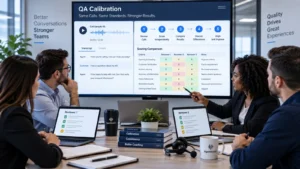
AgentAssist.com Automated QA platform supports customized scorecards, multiple scorecards per call or agent, scoring rationale, automated scoring, and reporting. It also helps monitor policies, procedures, productivity, compliance, and more.
For remote and hybrid teams, automated QA can support:
- Consistent scorecard application
- Faster review of agent performance trends
- Better visibility into procedure adherence
- More targeted coaching
- Reduced reliance on small call samples
- Clearer reporting for supervisors and managers
Automated QA should not remove human oversight. Supervisors and QA leaders still need to review context, calibrate scorecards, coach agents, and refine criteria. The strongest quality program uses automation for scale and human review for judgment.
How Conversation Analytics Helps Supervisors See What Is Happening
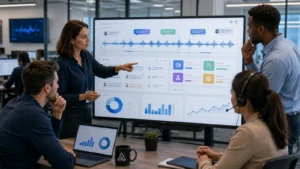
Conversation analytics helps supervisors and QA teams search, filter, review, and report on customer interactions. This is valuable for remote and hybrid contact centers because leaders need a way to find patterns without physically observing the team.
AgentAssist.com Conversation Analytics platform supports more than 20 filters, saved searches, call review, insight extraction, customized reports, and redaction of PII and other sensitive data.
This helps supervisors investigate questions such as:
- Which call types are creating quality gaps?
- Are agents handling escalation language consistently?
- Are required steps being followed?
- Are customers repeatedly confused by the same process?
- Are certain teams seeing more complaints or repeat calls?
- Are there conversations that need case review?
Conversation analytics turns remote quality monitoring from a guessing game into a searchable review process.
How Call Classification Adds Context to Quality Monitoring
Quality monitoring becomes more accurate when calls are evaluated by type. A simple account update should not be judged the same way as a complaint call, billing dispute, cancellation concern, or compliance-sensitive conversation.
Call classification helps contact centers understand why customers are contacting the business. This can help QA teams apply the right scorecards, compare agents more fairly, and identify which call types create the most coaching needs.
For example, if remote agents are struggling with payment assistance calls, managers can focus coaching on that workflow. If one queue has more escalation-related calls, supervisors can review whether the issue is agent performance, customer communication, or process design.
This context matters. Without it, quality monitoring may compare agents unfairly or coach the wrong issue.
How Coaching Workflows Support Remote Agents

Remote agents need structured coaching. In an office, coaching may happen through quick conversations, side-by-side reviews, or informal supervisor check-ins. In a remote or hybrid environment, those moments can be easier to miss.
AgentAssist.com Agent Coaching platform supports 1:1 coaching, tasks, notes, call timestamps, alerts, customized agent portals, accept/appeal workflows, and tracking/reporting.
This helps supervisors turn quality findings into clear coaching steps.
A remote coaching workflow may include:
- QA identifies a call or scorecard category that needs review.
- The supervisor creates a coaching task.
- Notes and timestamps are added to show the exact moment in the call.
- The agent reviews feedback through a portal or coaching workflow.
- The agent accepts, appeals, or responds when appropriate.
- The supervisor tracks completion and improvement over time.
This creates a documented coaching process that works even when agents and supervisors are not in the same location.
Quality Monitoring Should Include Positive Coaching
Quality monitoring should not only identify problems. It should also highlight strong performance.
Remote agents can feel disconnected if feedback only arrives when something is wrong. A good QA and coaching system should help supervisors recognize excellent calls, strong procedure adherence, effective de-escalation, clear explanations, and successful customer outcomes.
Positive coaching examples are useful for the whole team. A supervisor may use a strong call as a training example. A QA leader may identify an agent who handles a difficult call type well. A manager may recognize an agent for improving after coaching.
This creates a healthier quality culture.
How Case Management Supports Remote Quality Review
Some conversations require more than a QA score. They may need supervisor review, escalation, documentation, or follow-up.
AgentAssist.com Case Management solution helps teams create customized cases, review flagged calls, classify non-issues, add notes, send alerts, notify key team members, and generate customized reports.
For remote teams, case management helps make important calls visible. Instead of relying on an agent to remember to mention a concern during a meeting, the call can move into a structured review workflow.
This is especially useful for conversations involving complaints, service failures, fraud-risk indicators, compliance-sensitive topics, escalation requests, or repeated unresolved issues.
Case management helps supervisors focus on calls that need attention, no matter where the agent is located.
How Reporting Helps Manage Distributed Teams
Reporting is critical for remote and hybrid quality management. Supervisors need to know which agents need coaching, which teams are improving, which call types are creating difficulty, and whether quality standards are being met.
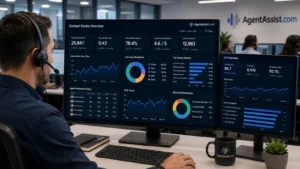
AgentAssist.com Analytics platform supports native reporting, customizable analytics, dashboards, reports, embedded data visualization, APIs, alerts, notifications, permissions, and redaction.
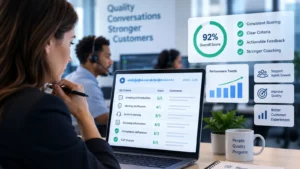
A useful remote quality dashboard may show QA score trends, coaching task status, call classifications, case volume, escalation trends, repeat issue indicators, and performance by team or queue.
The goal is not to create more reports. The goal is to give leaders a clearer view of what needs action.
Common Quality Monitoring Mistakes in Remote Teams
Remote quality monitoring can go wrong when teams focus too much on activity and not enough on quality.
Common mistakes include:
- Measuring only handle time or call volume
- Reviewing too few calls
- Using one scorecard for every call type
- Failing to connect QA findings to coaching
- Not documenting coaching follow-up
- Treating monitoring as surveillance
- Ignoring call complexity
- Not reviewing case trends
- Letting remote agents receive less feedback than office agents
- Not recognizing strong performance
A better approach is to build a quality monitoring system that is fair, structured, and connected to coaching.
What to Look for in Quality Monitoring Software
Contact center leaders should look for quality monitoring software that helps them review, score, coach, report, and improve.
Important capabilities include:
- Automated QA scorecards
- Scoring rationale
- QA reporting
- Conversation search and filters
- Saved searches
- Call classification
- Agent coaching workflows
- Notes and timestamps
- Alerts and tasks
- Case management workflows
- Custom dashboards
- PII and sensitive data redaction
- Secure permissions
- Call summaries
- Real-time assist capabilities
The most important factor is connection. Quality monitoring should connect QA, coaching, analytics, call classification, case management, and reporting. If these workflows stay separate, supervisors may still struggle to turn insights into action.
How AgentAssist.com Helps Remote and Hybrid Contact Centers Monitor Quality

AgentAssist.com helps remote and hybrid contact centers create a more connected quality monitoring workflow.
Automated QA helps teams evaluate interactions through customized scorecards, scoring rationale, and reporting. Conversation Analytics helps supervisors search, filter, review, and extract insights from calls. Agent Coaching helps teams create tasks, notes, timestamps, alerts, agent portals, and coaching reports. Case Management helps teams review flagged calls and organize escalation workflows. Analytics helps leaders monitor trends through dashboards and reports.
Together, these capabilities help contact centers manage quality consistently across distributed teams.
Instead of relying only on random sampling, scattered notes, or supervisor memory, AgentAssist.com helps teams build a more repeatable system for QA, coaching, reporting, and continuous improvement.
Final Thoughts
Remote and hybrid contact centers need quality monitoring systems that support visibility, fairness, consistency, and coaching. Managers cannot rely only on physical proximity, random sampling, or surface-level productivity metrics.
Quality monitoring software helps teams review more conversations, apply consistent scorecards, identify coaching needs, search for patterns, manage flagged calls, and report on performance across distributed teams.
AgentAssist.com helps contact centers connect quality monitoring with Automated QA, Agent Coaching, Conversation Analytics, Call Classification, Case Management, Call Summarization, Real-Time Assist, and Analytics. That gives remote and hybrid teams a stronger way to improve quality, support agents, and deliver better customer experiences.
Key Takeaways
- Quality monitoring software helps remote and hybrid contact center teams evaluate customer interactions more consistently.
- Remote agent monitoring should focus on call quality, QA scorecards, coaching needs, procedure adherence, and customer experience—not surveillance.
- Automated QA helps teams review more interactions and reduce reliance on small random samples.
- Agent coaching workflows help supervisors turn QA findings into tasks, notes, timestamps, alerts, and follow-up.
- AgentAssist.com helps contact centers connect quality monitoring with Automated QA, Agent Coaching, Conversation Analytics, Call Classification, Case Management, Call Summarization, Real-Time Assist, and Analytics.
FAQs
Quality monitoring software helps contact centers review customer interactions, score agent performance, identify coaching needs, track QA trends, and improve service quality.
Remote teams need structured visibility because supervisors cannot rely on in-person observation. Quality monitoring software helps managers review calls, apply scorecards, coach agents, and track performance from anywhere.
Automated QA helps contact centers evaluate more interactions, apply scorecards consistently, review score trends, and identify coaching needs across remote or hybrid teams.
No. Remote agent monitoring should be framed around support, quality improvement, coaching, and customer experience. It should not be treated as surveillance or punishment.
Agent coaching software helps supervisors create tasks, notes, timestamps, alerts, agent feedback workflows, and reports so coaching remains consistent even when agents work remotely.
AgentAssist.com supports remote and hybrid quality monitoring through Automated QA, Agent Coaching, Conversation Analytics, Call Classification, Case Management, Call Summarization, Real-Time Assist, Analytics, reporting, alerts, tasks, and dashboards.
Ready to improve quality monitoring across remote and hybrid teams?
See how AgentAssist.com helps contact centers evaluate interactions, coach agents, review conversations, manage flagged calls, and turn quality insights into action. Book a demo today.
Sources Used
- AgentAssist.com — Automated QA
https://agentassist.com/platform/automated-qa/ - AgentAssist.com — Agent Coaching
https://agentassist.com/platform/agent-coaching/ - AgentAssist.com — Conversation Analytics
https://agentassist.com/platform/conversation-analytics/ - AgentAssist.com — Analytics
https://agentassist.com/platform/analytics/ - AgentAssist.com — Call Classification
https://agentassist.com/platform/call-classification/ - AgentAssist.com — Case Management
https://agentassist.com/platform/case-management/ - AgentAssist.com — Call Summarization
https://agentassist.com/platform/call-summarization/ - AgentAssist.com — Real-Time Assist
https://agentassist.com/platform/real-time-assist/ - AgentAssist.com — Homepage
https://agentassist.com/